

What Changed When Geekay Bikes Moved from WooCommerce to Shopify
The platform migration was only one part of the job. The larger challenge was helping everyone from first-time riders to enthusiasts choose the right bicycle.

Executive Summary
The platform migration was only one part of the job. The larger challenge was helping everyone from first-time riders to enthusiasts choose the right bicycle.
Why WooCommerce had become harder to run
WooCommerce can be an effective platform, and a migration should never begin with the assumption that one system is universally better than another.
For Geekay, the issue was the operating reality of its particular store. Maintaining the WooCommerce backend, supporting custom applications and managing the infrastructure had become increasingly demanding. Performance and ease of management were limiting the team's ability to move as quickly as the brand wanted.
Shopify offered a managed commerce platform and a backend the internal team could operate more easily. But changing platforms also introduced risk. Product data, search visibility, customer history, integrations, analytics and the buying experience all had to survive the move.
Treat the migration like a reconstruction
We started by documenting the existing store in detail.
That meant auditing:
Products, variants, images and technical attributes
Customer and historical order data
Existing integrations and custom applications
High-traffic and high-ranking URLs
Collection and category structures
Analytics and marketing tags
Shipping, payment and tax configuration
Content that answered product-research questions
We mapped each element to its place in Shopify. Some information moved directly, some needed reformatting, and some functionality required a Shopify application or a rebuild using APIs and webhooks.
The URL map was especially important. A product may be successfully imported and still lose organic traffic if its old URL leads to a dead page. Every valuable WooCommerce URL needed an appropriate Shopify destination, supported by a permanent redirect.
Google explicitly warns that search rankings can fluctuate during a site move while it recrawls and reindexes old and new URLs. It says a medium-sized site can take a few weeks for most pages to move in its index. That is why redirect mapping and post-launch monitoring are part of the migration, not optional SEO work added later.
Help every kind of rider find a bike
Once the platform foundation was in place, we focused on a question that mattered more to customers: Which bike is right for me?
Geekay's store needed to support several valid ways of shopping. We introduced discovery routes such as:
Shop by category
Shop by cycle type
Shop by wheel size
Shop by budget
These routes still appear across Geekay's current storefront. Someone who knows they want a 29-inch mountain bike can move directly to that group. Someone with a fixed budget can begin there instead. Neither person has to navigate the catalogue using internal product terminology.
We also built a quick product finder and used structured tabs for detailed bicycle information. Customers could get the specifications without facing one overwhelming block of copy.
Tabbed content is useful only if the most important buying information remains easy to discover. On mobile, critical facts such as size, fit, assembly, warranty, returns and delivery must not disappear behind vague labels. The design has to serve the beginner without frustrating the expert.
Measure speed with real customer data
Hosted infrastructure reduced part of the maintenance load. It did not prove that the new store was faster.
We looked at the experience customers received: how quickly meaningful content appeared, how responsive filters and selectors felt, and whether the layout remained stable as images and applications loaded.
Google's current Core Web Vitals guidance defines a good experience as:
Largest Contentful Paint within 2.5 seconds
Interaction to Next Paint of 200 milliseconds or less
Cumulative Layout Shift of 0.1 or less
Use real-user data at the 75th percentile, split by mobile and desktop. One perfect laboratory test does not describe the customer experience.
What we watched after launch
Once the new store was live, we watched the signals most likely to expose a migration problem:
404 and redirect errors
Search Console indexing and organic clicks
Checkout and payment failures
Conversion by device
Product-feed or advertising disapprovals
Customer-service questions
Application and integration errors
The new store was easier to operate and helped bicycle shoppers browse by the questions they ask. Shopify supplied the platform, but the choices made during migration created the value. Some parts of the old store needed protection; others needed simplifying or rebuilding.
The team rebuilt the business process instead of merely copying the storefront.
For a planned WooCommerce-to-Shopify move, KLOC can audit the data, integrations, SEO exposure and product journeys before migration begins.
Sources: Google's site-migration guidance, Google Web Vitals, and Geekay Bikes.
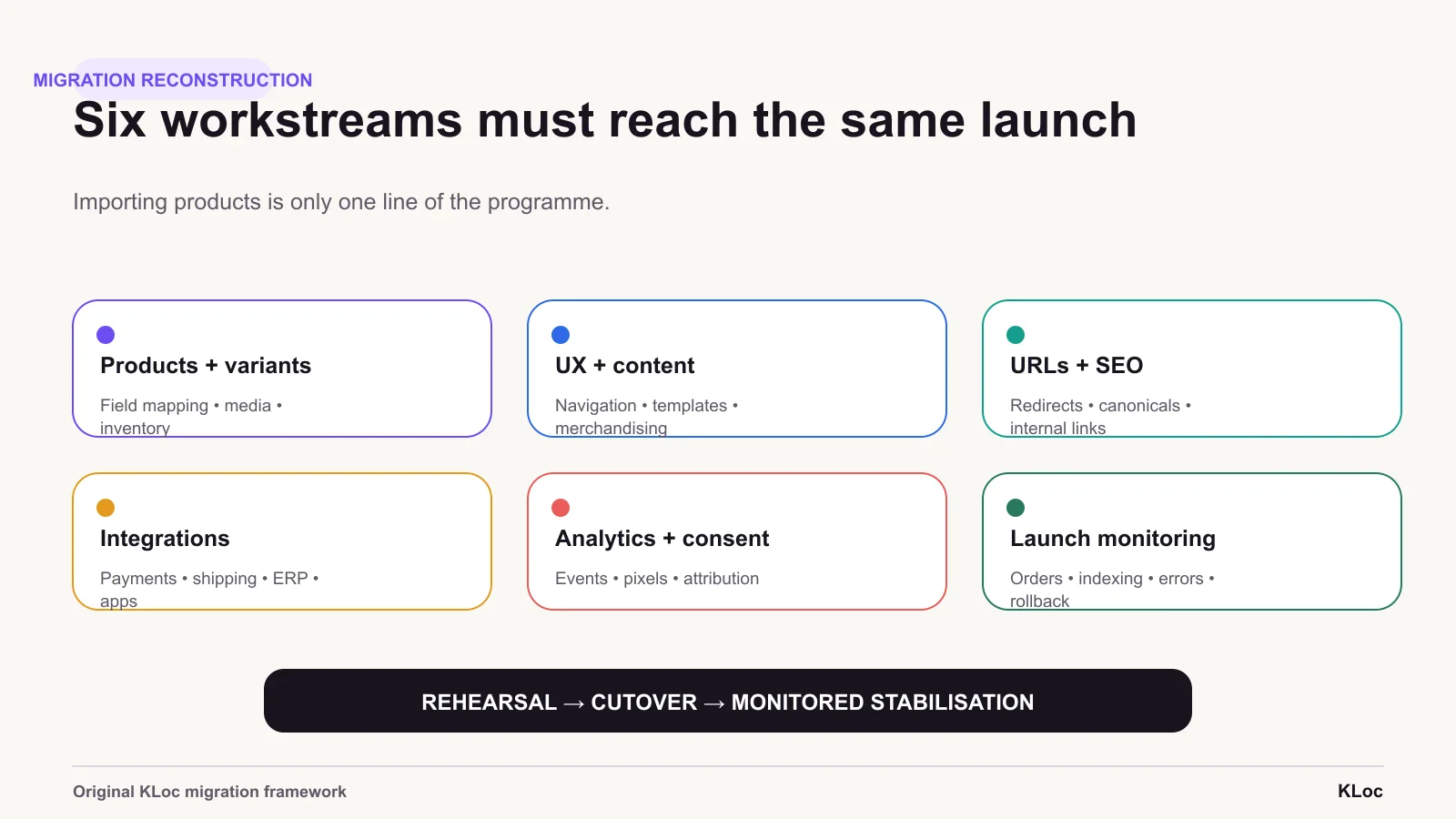
Migration workstreams
Product records are only one migration workstream. Search, content, customer data, integrations, redirects, tracking and ownership need their own acceptance criteria.
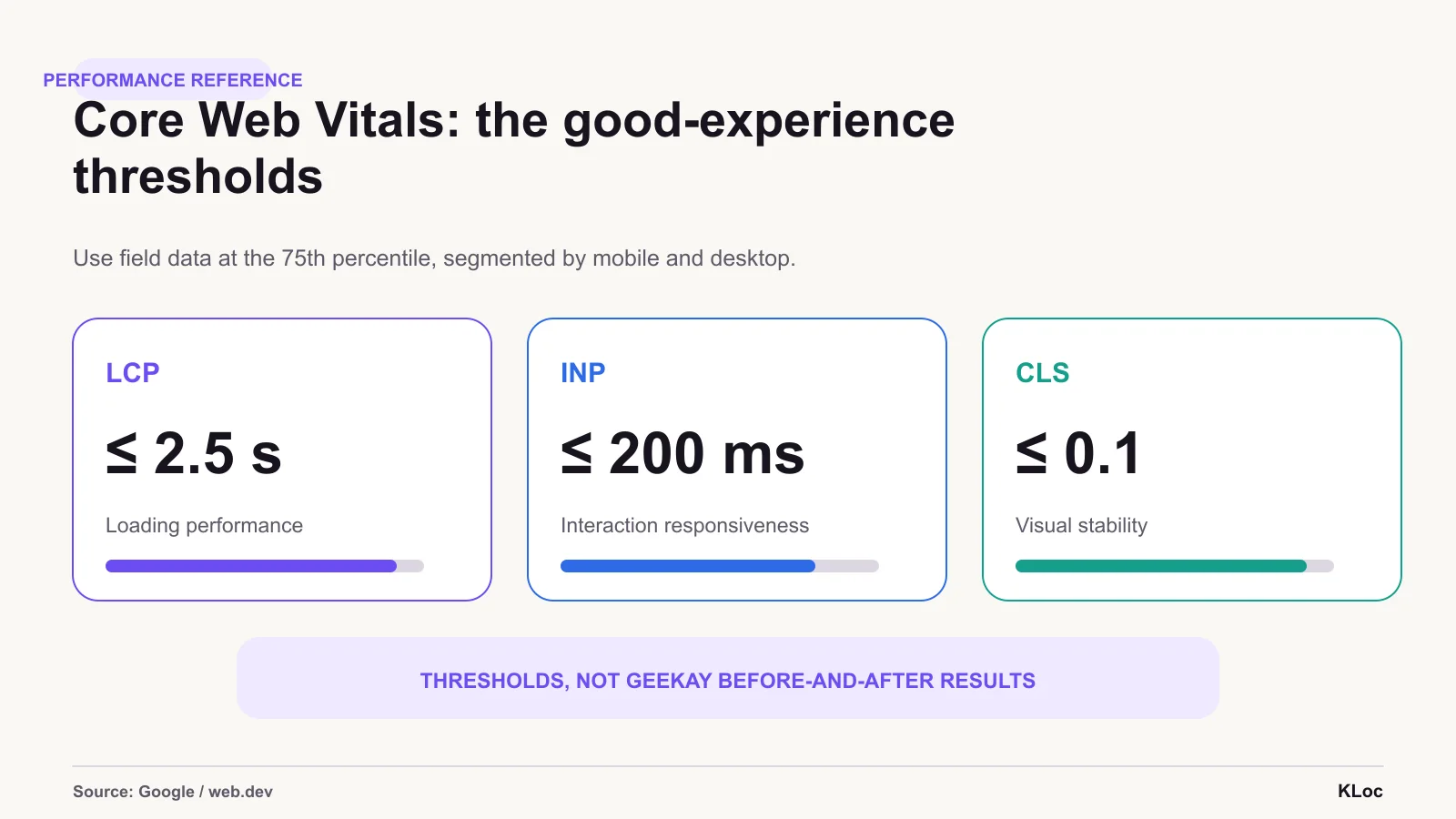
Experience thresholds
These are recommended good-experience thresholds, not Geekay before-and-after results. A project claim needs comparable field data and a documented window.
The right team for
the work ahead.
Share the brief, the context, or the challenge. We respond within one business day.
Division 01 · KLOCOM
Commerce Engineering
Shopify Plus builds, migrations, integrations, managed services, and agentic commerce architectures.
Explore KLOCOMDivision 02 · KLOCAPPS
Custom Software
Web and mobile applications, platforms, enterprise integrations, and applied AI products built to last.
Explore KLOCAPPSDivision 03 · KLOCERS
Technology Talent
Senior individual engineers, delivery pods, and embedded engineering teams shaped around your systems and delivery brief.
Explore KLOCERS