

How to Make a Large Shopify Catalogue Easier to Shop
A practical way to organise collections, variants, product data, filters and search so a large range remains easy to shop.
Executive Summary
A practical way to organise collections, variants, product data, filters and search so a large range remains easy to shop.
Start with the decisions customers make
Different catalogues need different structures. A snack shopper may begin with flavour or occasion:
Snack format → flavour → occasion → pack size
A bicycle shopper may begin with rider or terrain:
Rider → terrain → wheel size → budget
A home shopper may begin with room and fit:
Room → product type → dimensions → material → style
These are models of a decision, not merely navigation labels. Search terms, filter usage, support questions and customer interviews reveal which attributes matter. Customers should not have to learn the warehouse taxonomy.
Give every Shopify object one clear job
Large catalogues become messy when categories, collections, tags, variants and metafields are used interchangeably.
| Shopify concept | Use it for | Avoid using it for |
|---|---|---|
| Product | One commercially distinct item or family | Every minor configuration if variants are more appropriate |
| Variant | Purchasable options such as size or colour | Descriptive information that does not change the purchasable item |
| Collection | A meaningful browse destination | Every possible attribute value |
| Metafield | Structured product information | Temporary campaign organisation |
| Tag | Lightweight internal or automation labels | An uncontrolled universal product database |
| Filter | Customer-controlled narrowing within a collection/search | Replacing the category hierarchy entirely |
Shopify supports up to 2,048 variants and three options per product, but that does not mean every combination belongs under one product. Consider merchandising, imagery, URLs, inventory and how customers compare options.
Build collections that define a meaningful scope
A collection should answer a recognisable browsing need. "Women's running shoes" creates a useful scope. "Red" across an entire department usually works better as a filter.
Too many categories make navigation repetitive; too few create enormous, unrelated collections. Products grouped together should share enough attributes to compare and filter meaningfully.
Before creating one, ask:
Would customers deliberately browse this group?
Do its products share useful filters?
Will it remain relevant beyond one campaign?
Is there a rule for products entering and leaving it?
Seasonal campaign pages still need owners and retirement dates.
Design filters around purchase criteria
Filters should reduce a large set, not reproduce every database field.
Baymard's 2025 benchmark found poor-to-mediocre product-list experiences on 58% of desktop and 78% of mobile ecommerce sites.
Useful filter principles include:
Use category-specific criteria, not one universal filter set.
Group synonymous values such as "navy," "midnight" and "dark blue" where appropriate.
Allow multiple values when customers realistically consider more than one.
Keep selected filters visible and easy to remove.
Put the most-used filters first on mobile.
Use swatches only when they communicate colour or texture accurately.
Shopify allows up to 25 active filters and displays up to 100 values per filter. Native filters do not appear on collections with more than 5,000 products, another reason to define collections well.
Give onsite search an owner
Search users are trying to name what they want. Weak search loses that intent through vocabulary mismatches, misspellings and incomplete data.
Review search reports for:
Queries returning no results
Queries with results but no clicks
Synonyms, misspellings and abbreviations
Terms that deserve a collection or landing page
Shopify's Search & Discovery tooling can customise results and boost products, but software cannot infer every piece of business vocabulary. Search needs an owner.
Make product cards useful enough to compare
Customers should not need to open five product pages to discover that four products are unsuitable.
A product card should show image, title, price and availability, plus the category-specific facts needed to decide whether to open it.
That could mean wheel size for bicycles, dimensions for furniture, or flavour for snacks.
Baymard found 50% of benchmarked sites lacked the right balance of product-list information, causing unnecessary clicks or missed products.
Keep the catalogue clean after launch
A clean catalogue can become disorganised again within one quarter if no one owns the rules.
Document standards for:
Product titles
Categories, product types and variant names
Metafield definitions and allowed values
Images and collection membership
Campaign expiry and search synonyms
Data-quality review
Templates and automated collections should enforce the model, not automate inconsistent data.
Check whether customers can find products
Track more than total conversion:
Search conversion rate
Zero-result search rate
Search-result and collection-to-product click-through
Filter usage and product-list exits
Time to first product view
Mobile versus desktop differences
A large catalogue becomes difficult when every new product adds more ambiguity.
The fix is clearer product data, more intentional collections and discovery tools based on real buying decisions.
If a large range is burying the products customers want, KLOC can audit the Shopify data model, collections, filters and search behaviour.
Sources: Baymard's 2025 product-list benchmark, product-list research, product-card research, Shopify filter documentation, and Shopify variant limits.
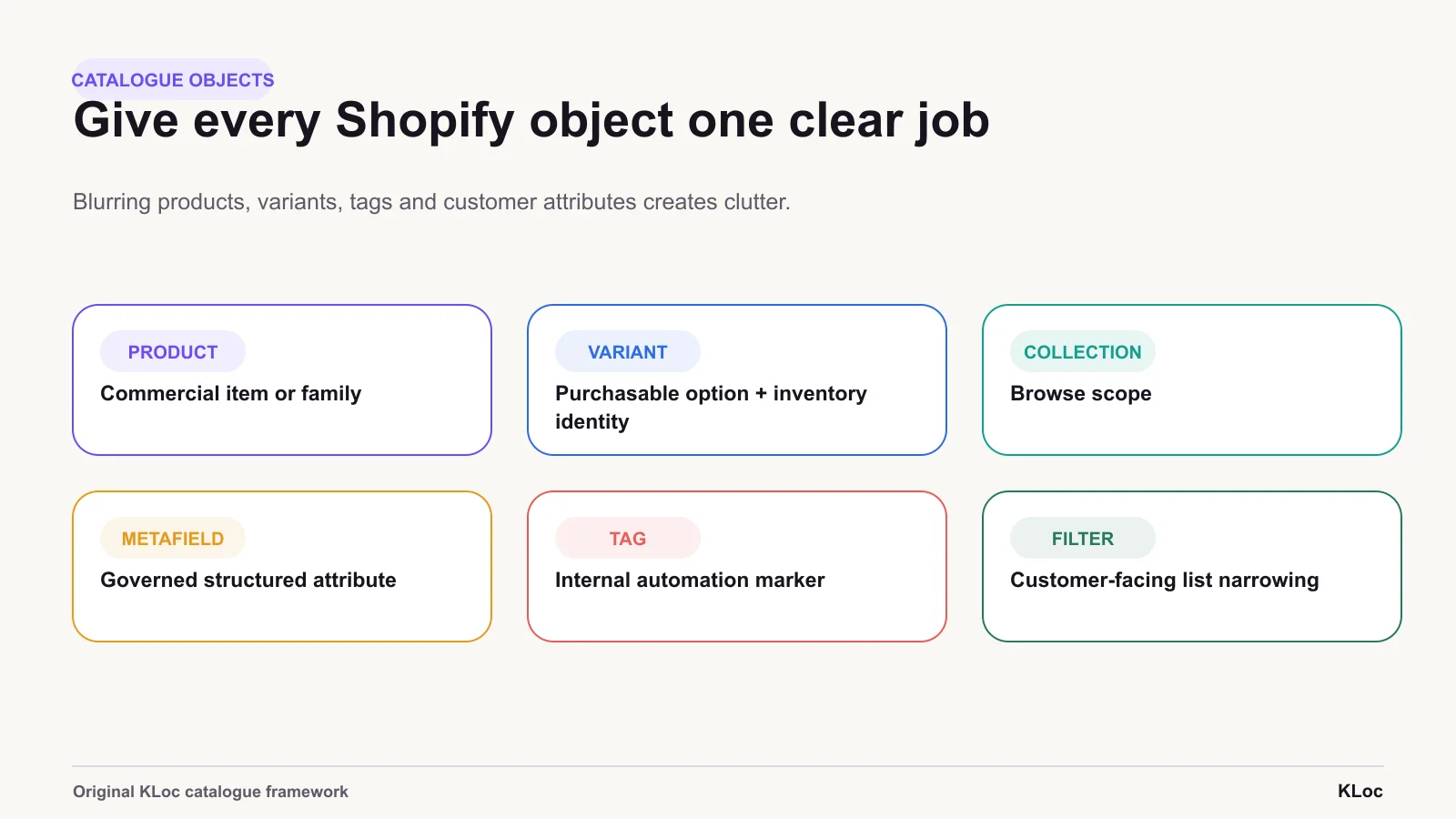
Clear object roles
Catalogue objects work better when each one has a clear job. Blurring products, variants, tags and customer-facing attributes creates clutter.
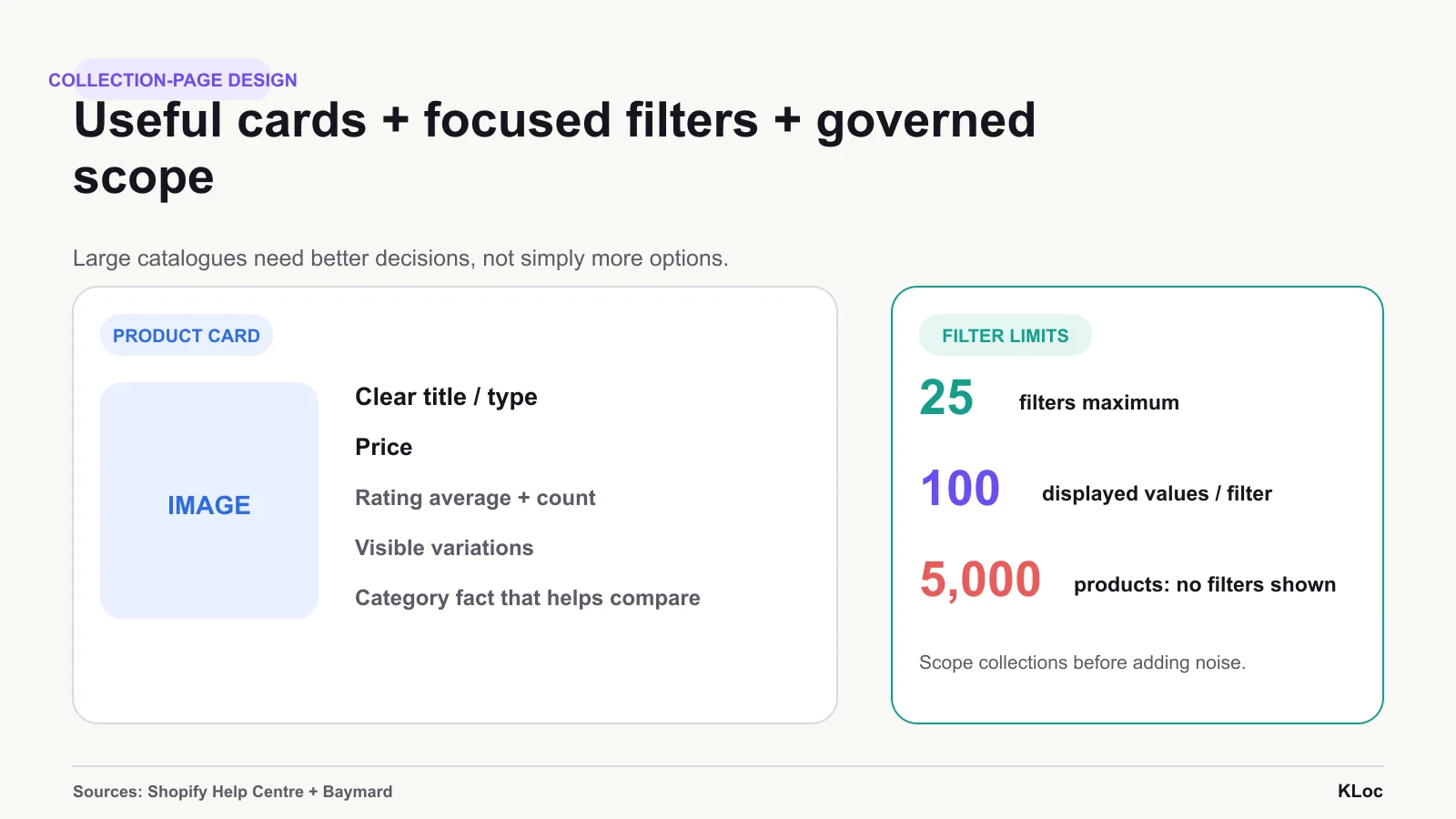
Useful data signals
Attribute governance and collection scope are important when native filtering has practical limits.
The right team for
the work ahead.
Share the brief, the context, or the challenge. We respond within one business day.
Division 01 · KLOCOM
Commerce Engineering
Shopify Plus builds, migrations, integrations, managed services, and agentic commerce architectures.
Explore KLOCOMDivision 02 · KLOCAPPS
Custom Software
Web and mobile applications, platforms, enterprise integrations, and applied AI products built to last.
Explore KLOCAPPSDivision 03 · KLOCERS
Technology Talent
Senior individual engineers, delivery pods, and embedded engineering teams shaped around your systems and delivery brief.
Explore KLOCERS